
MuleSoft Composer: Tutorial, Best Practices & Examples
The challenge of using a myriad of enterprise applications is connecting them so that everything works smoothly together. Traditionally, achieving this level of integration required technical expertise, developer resources, and tedious project timelines, often slowing down innovation and agility.
That’s where MuleSoft Composer steps in. It provides a faster and more accessible way to connect systems and automate workflows. Simplifying integration lets businesses reduce manual tasks, enhance cross-departmental teamwork, and focus on driving value rather than managing complexity.
In this article, we look closer at MuleSoft Composer, including how it works and how you can get the most out of it by using the AI tools available today.
Summary of key MuleSoft Composer concepts
{{banner-large-graph="/banners"}}
What is MuleSoft Composer?
MuleSoft Composer is a no-code integration tool that lets business users connect applications and automate workflows without writing a single line of code. Built on MuleSoft’s trusted integration expertise and tightly associated with Salesforce, Composer makes it easier to sync data, remove barriers, and simplify everyday processes through a point-and-click interface. Instead of dealing with complex code, users can simply drag and drop to build workflows between systems, such as Salesforce, Slack, NetSuite, Workday, and ServiceNow.
Organizations use MuleSoft Composer to enable teams to move faster and work more efficiently. Its easy-to-use interface and prebuilt connectors make setting up integrations much quicker, turning what used to take weeks into just minutes. By keeping data in sync across different platforms, teams can avoid repetitive manual work, reduce errors, and allocate more time to tasks that matter. Additionally, since Composer is built on the MuleSoft Anypoint Platform, it comes with enterprise-level security and governance, enabling organizations to automate with confidence. At the same time, IT teams maintain complete visibility and control over their systems.
In addition to simplifying integrations, MuleSoft Composer helps bridge the gap between business and IT. It enables nontechnical users to create their own automations, allowing IT to focus on larger, more strategic projects. This balance enhances productivity, fostering collaboration and innovation across teams. With Composer, organizations can adapt to changes, explore new ideas, and streamline their workflows—all without waiting for lengthy development cycles.
Key features of MuleSoft Composer
These are some of the key features of MuleSoft Composer:
- No-code integration: With MuleSoft Composer, you don’t need to write a single line of code. Its simple point-and-click interface lets business users set up integrations independently, reducing the need for IT support.
- Prebuilt connectors: MuleSoft Composer offers ready-to-use connectors for popular applications, including Salesforce, NetSuite, Slack, ServiceNow, and Google Sheets. This means you can connect systems without having to start from scratch.
- Event-driven triggers and actions: When an event occurs in one app, MuleSoft Composer automatically takes the necessary action in another. This ensures that workflows run smoothly without manual intervention.
- Real-time data synchronization: MuleSoft Composer ensures that information flows instantly between connected systems, enabling teams to work continuously with the latest and most accurate data.
- Scalability and flexibility: Composer can grow with your business needs, whether you require a simple two-step automation or a more complex workflow. You can start small and expand as processes evolve.
- Security and governance: Even though it’s easy to use, Composer is built on MuleSoft’s enterprise-grade foundation. Features such as audit trails, compliance support, and role-based access enable IT to maintain control while empowering business teams.
- Seamless Salesforce integration: Because it’s native to Salesforce, Composer makes it especially easy to extend CRM's power by connecting Salesforce data with other critical systems.
- Monitoring and error handling: If something goes wrong, Composer doesn’t leave you guessing. You can track workflows, get alerts for failures, and make quick adjustments, all without technical expertise.
These features make MuleSoft Composer a valuable partner for businesses seeking to simplify and connect their integrations. It brings different systems together, speeds up automation, and keeps teams working in sync. With its enterprise-level reliability, Composer enables organizations to spend less time addressing technical complexities and more time driving strategy, innovation, and growth.
MuleSoft Composer use cases
MuleSoft Composer offers a range of integration capabilities that enable organizations to connect disparate applications. Unlike traditional developer-focused platforms (such as MuleSoft Anypoint Studio), Composer is designed for admins, analysts, and operations teams who need to move faster without waiting on IT backlogs.
Here are some typical use cases:
- Salesforce and Slack integration: Notifications can be automatically sent to Slack channels using MuleSoft Composer whenever key events occur in Salesforce—such as new leads, closed opportunities, or high-priority support cases—ensuring that sales and service teams stay informed in real time without needing to check Salesforce directly. This can minimize manual tasks, speed up response times, and keep everyone aligned, ultimately improving team collaboration and customer engagement.
- ServiceNow and JIRA integration: Incidents reported in ServiceNow can automatically create Jira tickets using MuleSoft Composer, which enables faster issue resolution for problems that directly impact business operations. This automation reduces communication delays, ensures that development teams receive accurate real-time information, and strengthens collaboration between IT support and development teams. As a result, organizations can minimize downtime, enhance service quality, and provide a more seamless experience for employees and customers.
- Google Sheets and Salesforce updates: Instead of spending hours manually updating spreadsheets, teams can have Google Sheets refresh automatically whenever Salesforce records are created or modified. This keeps reports accurate in real time and frees up operations teams to focus on analysis and decision-making, rather than data entry.
- Salesforce and marketing platforms: By connecting Salesforce with marketing tools like Mailchimp or Marketo using MuleSoft Composer, teams can automate tasks such as customer segmentation, campaign updates, and lead nurturing. This means marketing no longer has to update lists or track every interaction manually; campaigns can run smarter, leads can be followed up on faster, and sales teams always have the most up-to-date customer insights. The result is a more substantial alignment between marketing and sales, improved customer engagement, and more opportunities converted with less effort.
These examples highlight just a few of the many ways MuleSoft Composer can simplify integrations and improve day-to-day operations. By automating routine tasks, ensuring data consistency, and connecting teams across different applications, Composer allows organizations to work smarter and faster. The real value lies in its ability to adapt easily to diverse business needs—whether in sales, service, finance, or IT—making it a versatile solution for modern enterprises.
CurieTech AI, one of the leading AI tools today, takes a similar approach. It offers various tools that help both developers and non-developers create, work with, and manage code, diagrams, and more.
CurieTech AI has introduced a tool designed to automate and support MuleSoft development. Unlike general-purpose AI chatbots, its features are purpose-built, offering conversational guidance for coding, testing, and other MuleSoft-specific tasks. Here’s an example of using CurieTech’s Chat Interface feature. The prompt on the CurieTech AI homepage, where users can ask questions, has been enhanced to include additional options and suggestions, creating a more engaging and interactive experience.
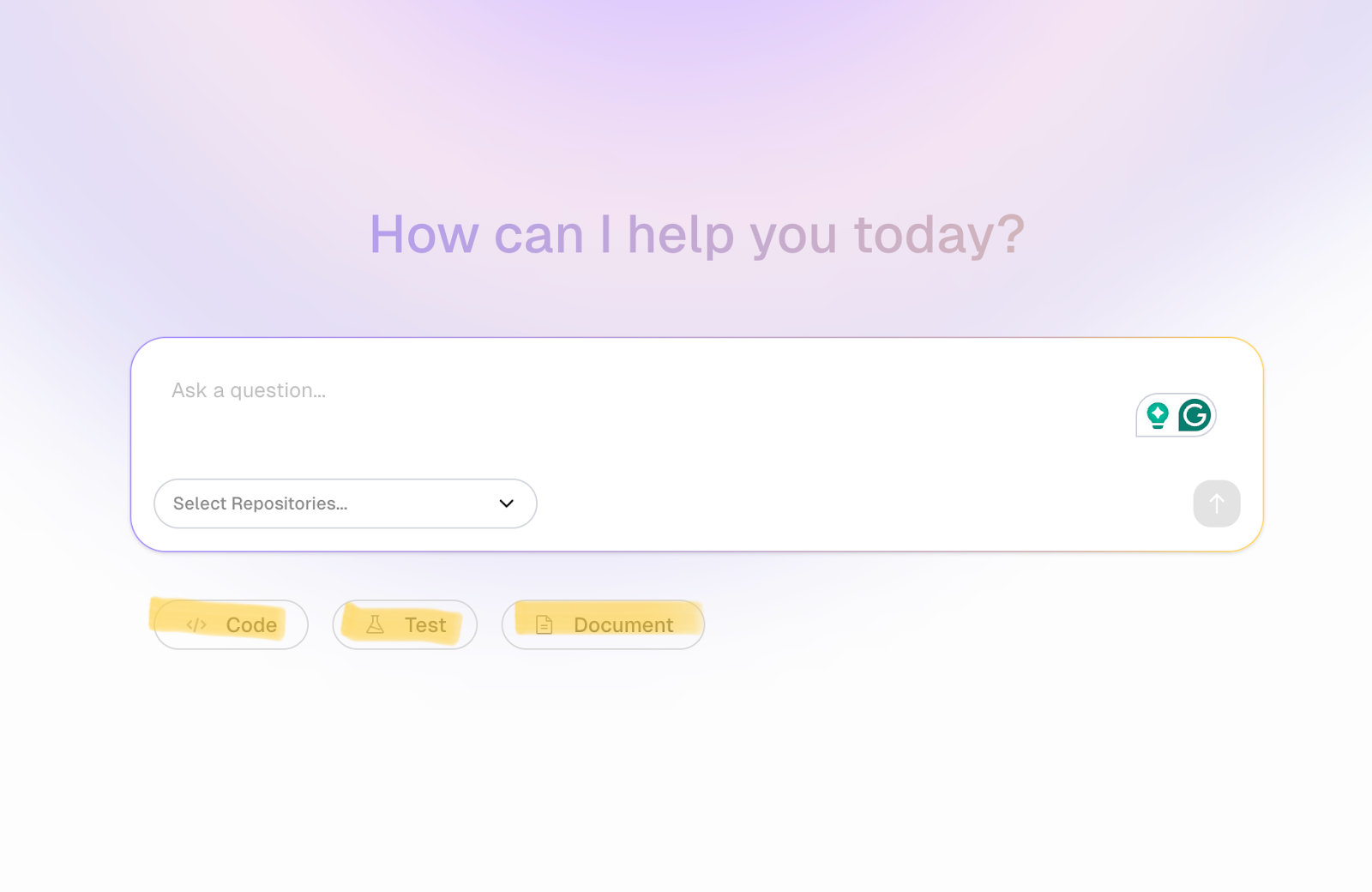
You can ask questions or select from dedicated options (Code, Test, and Document) that are designed to streamline workflows and make AI interactions faster and more efficient. Here’s an example.
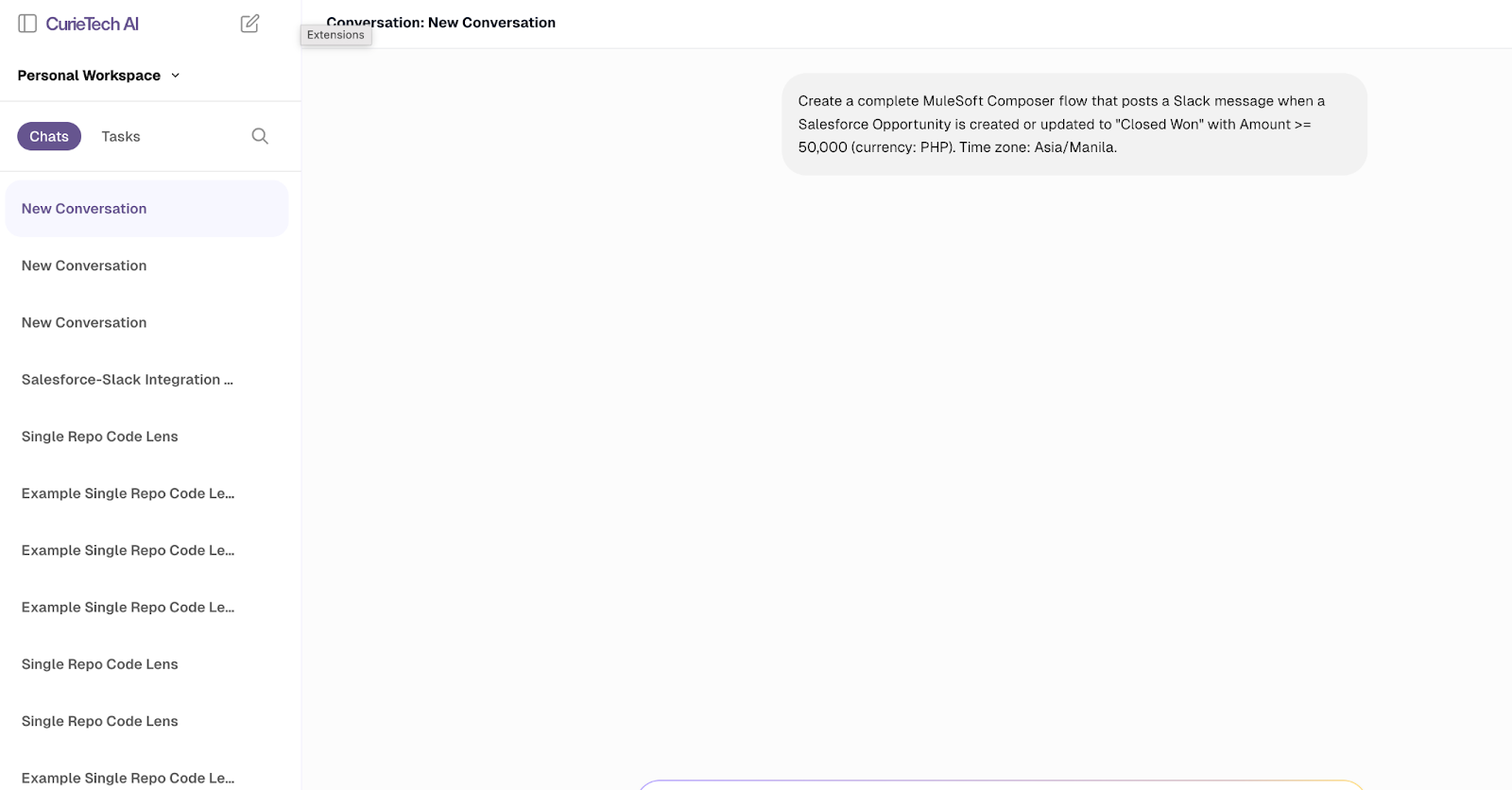
In this scenario, you can prompt the tool to generate MuleSoft Composer code that connects Salesforce and Slack, demonstrating how CurieTech AI simplifies complex integrations by automatically generating ready-to-use code snippets in just a few seconds.

Once a task is submitted, it automatically generates helpful suggestions that both developers and non-developers can use to create low-code solutions in MuleSoft Composer.
{{banner-large="/banners"}}
Setting up MuleSoft Composer
Before beginning setup, ensure that you have the necessary Salesforce licenses, administrative permissions, and access to the applications you plan to integrate. Also, verify that the MuleSoft Composer package is installed and enabled in your Salesforce environment to ensure a smooth configuration and connection setup.
The following steps outline the process for setting up a Salesforce-to-Slack integration.
1. Access MuleSoft Composer
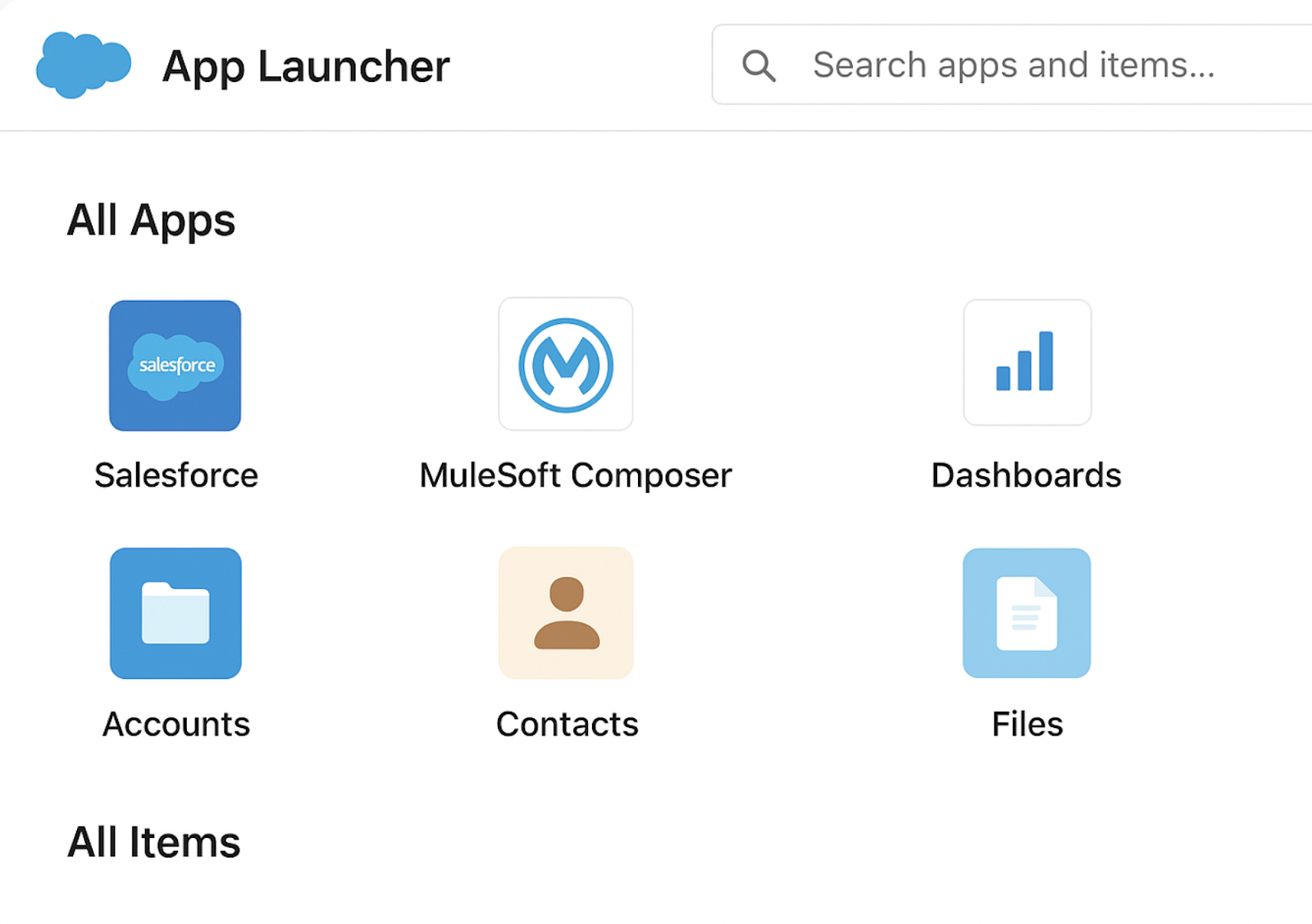
To begin, log in to your Salesforce organization and open the App Launcher, located in the upper-left corner of the interface. Search for MuleSoft Composer and select it from the list of available applications. If you do not see the Composer app, contact your Salesforce administrator to enable it for your profile. This step ensures that you can access the Composer workspace where integrations will be built and managed.
2. Configure user permissions
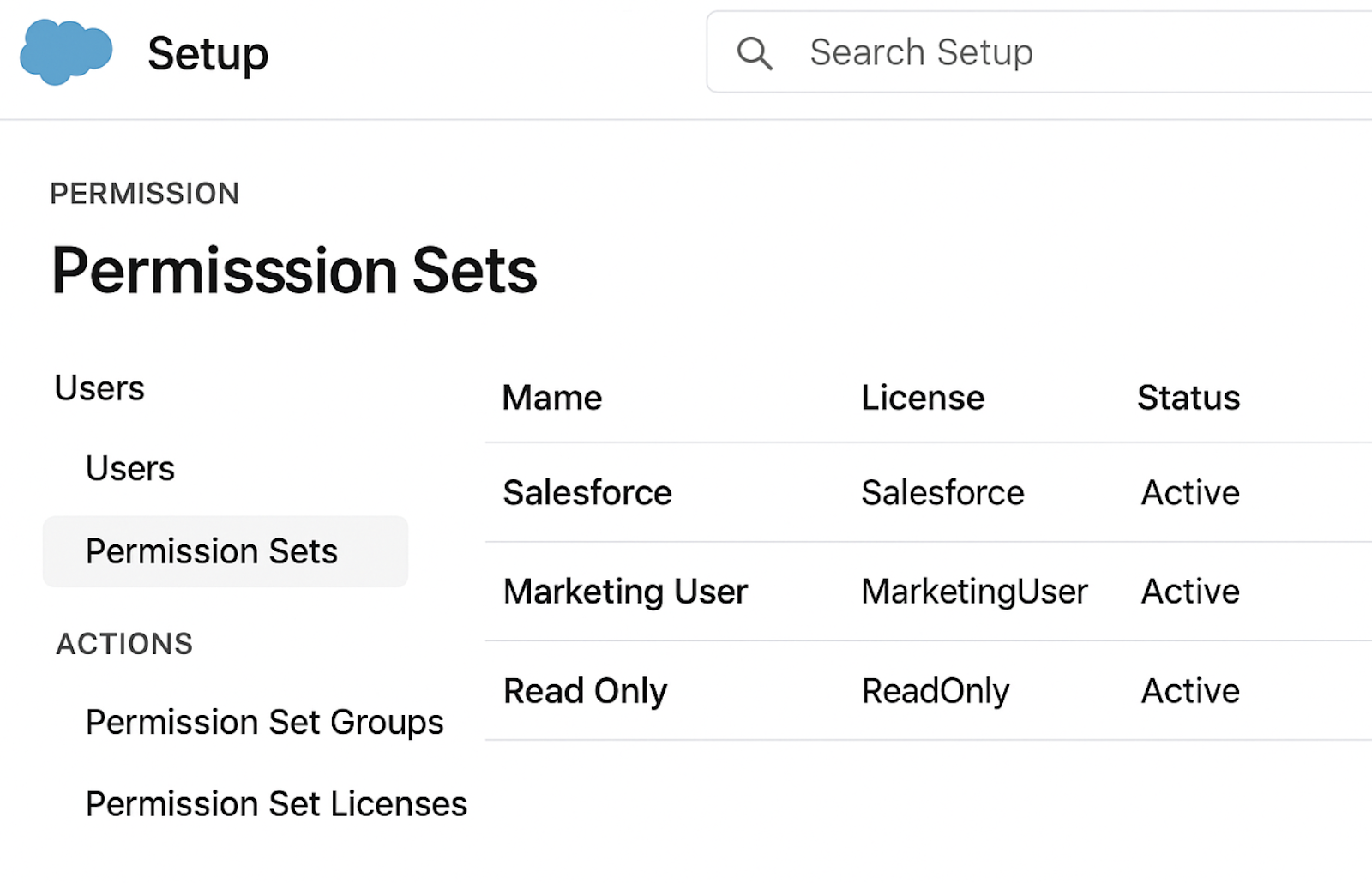
Before you can begin creating flows, you must assign the proper permissions. In Salesforce Setup, navigate to Permission Sets and assign the MuleSoft Composer Admin and MuleSoft Composer User permissions to the appropriate individuals. These permissions grant access to the Composer tool and its functionalities. Additionally, ensure that users have the necessary access rights to the connected applications—such as Salesforce, Slack, Jira, or ServiceNow—to allow smooth integration and data flow.
3. Create application connections
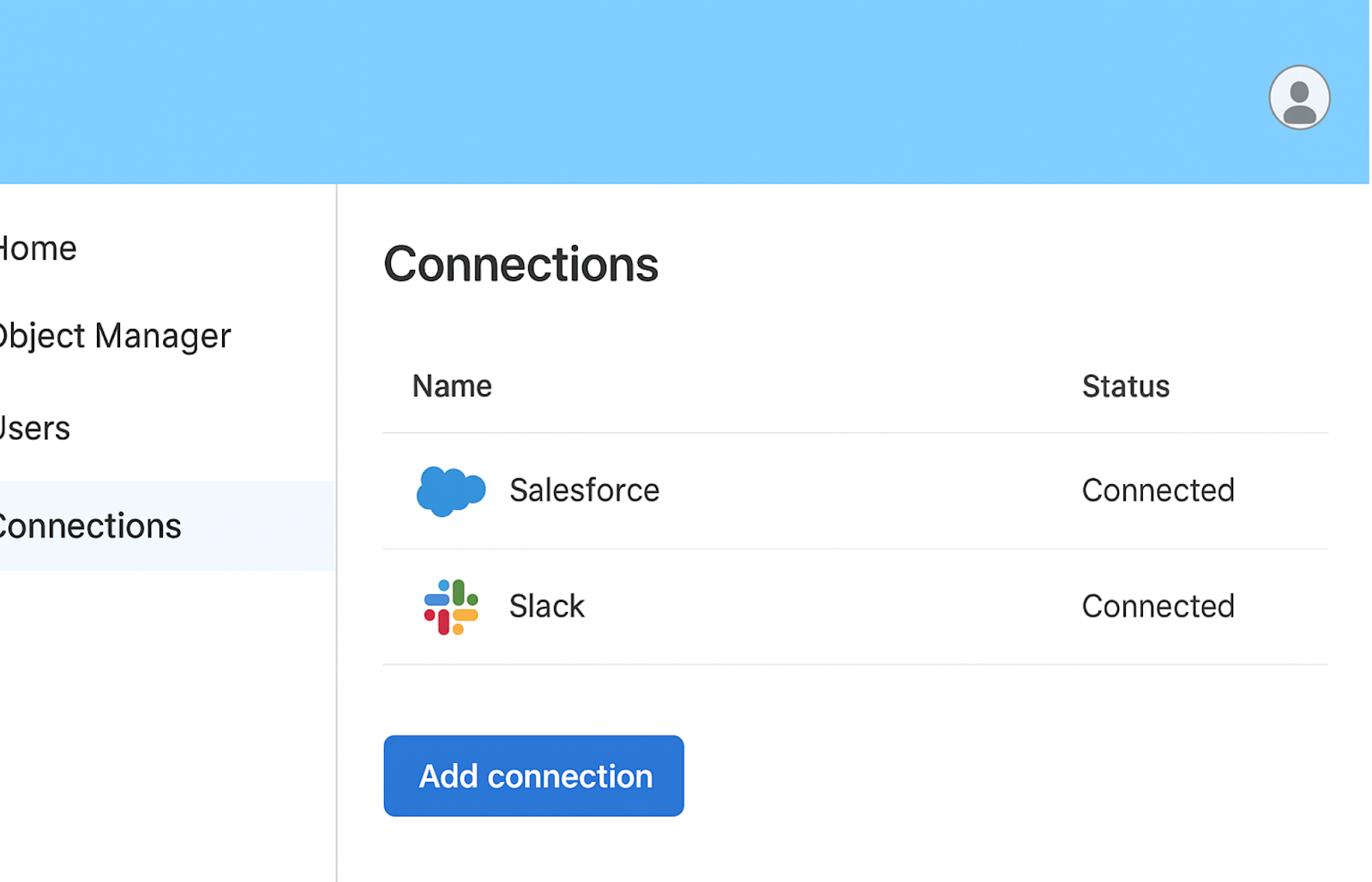
Once permissions are in place, proceed to establish secure connections with the applications you plan to integrate. Within MuleSoft Composer, open the Connections tab and select New Connection. Choose the desired application and follow the authentication process, which may involve OAuth login or API key authorization. After successful authentication, a green check mark will appear beside the connection name, indicating that it is active. Each connection must be authenticated separately for each user or environment to ensure data security and compliance.
4. Build a new flow
After establishing connections, you can begin building your first integration flow. Navigate to the Flows tab and click New Flow to create one. Define the trigger that will initiate the process—such as when a new record is created in Salesforce—and specify the corresponding actions that should occur as a result, such as sending a message in Slack or creating a ticket in Jira. During this stage, configure the required field mappings to ensure accurate data is transferred between systems. This structure allows business processes to operate seamlessly and automatically.
5. Test the flow
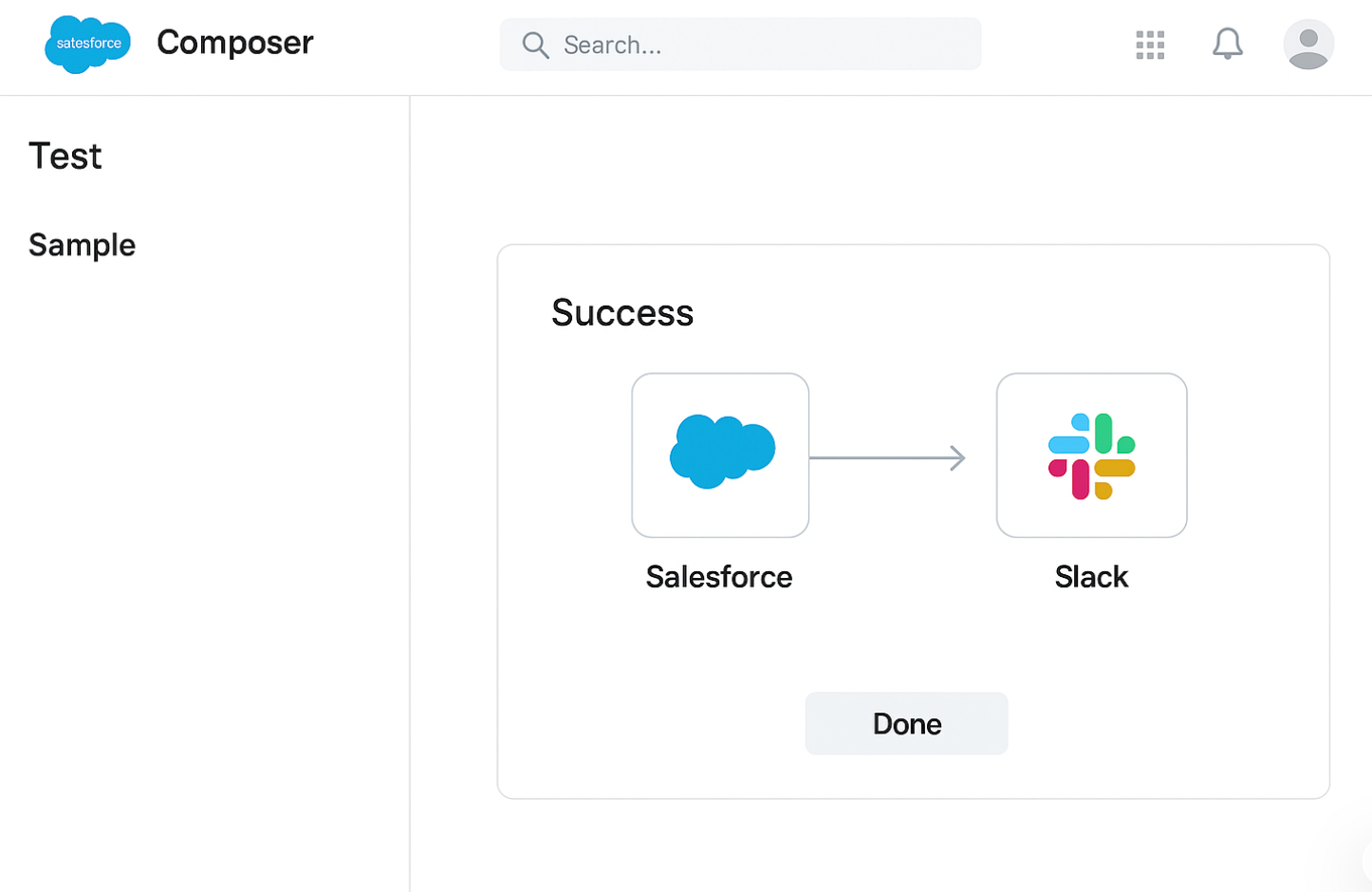
In the Composer interface, select Test to simulate the workflow using sample data. Observe how data moves between the connected systems and verify that each step functions as expected. If any errors occur, review your field mappings, connection settings, or authentication credentials. Repeat testing until the flow executes successfully without issues.
6. Activate the flow
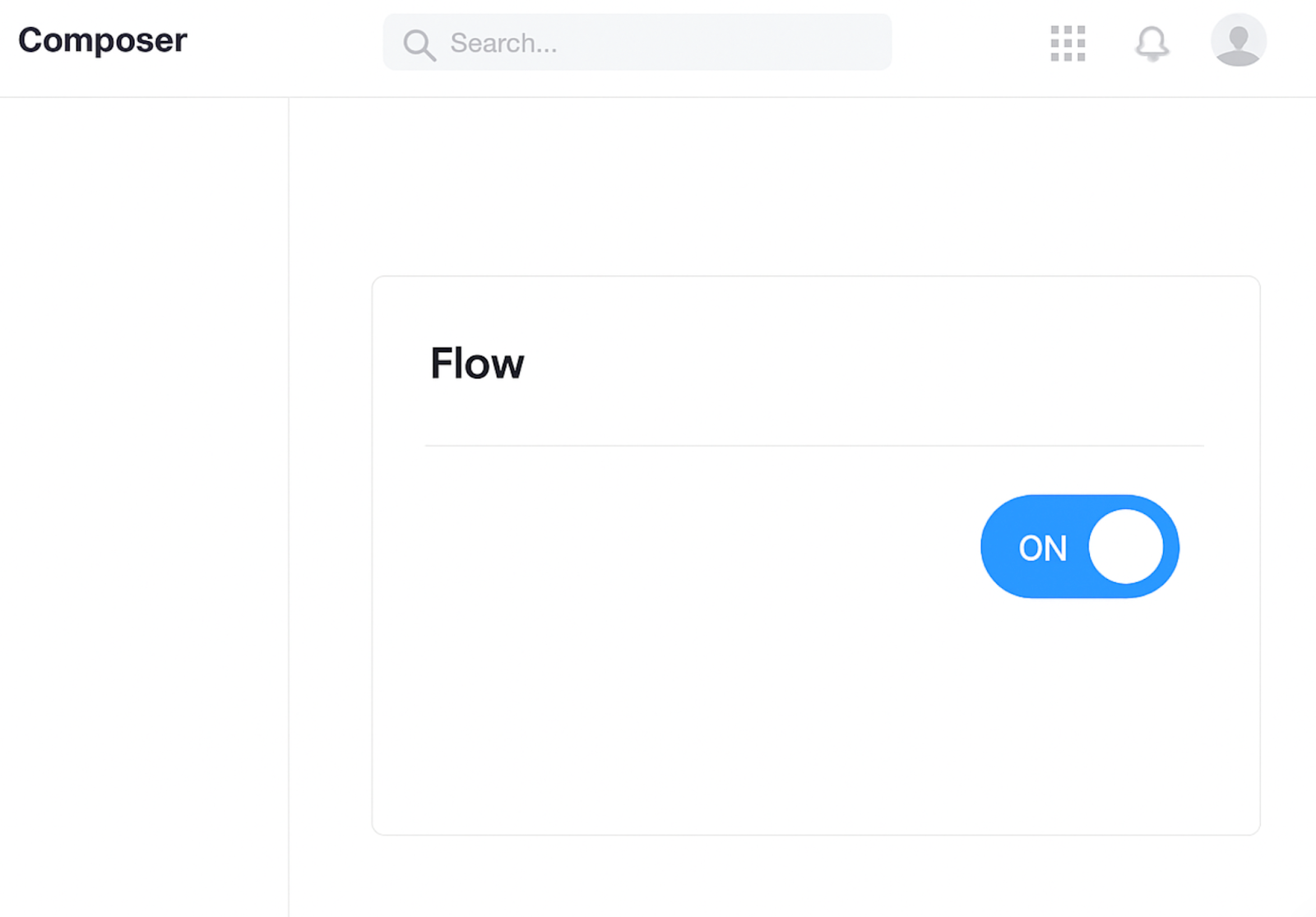
Once testing confirms that your automation works properly, you can proceed to activate it. Click Activate Flow in the Composer interface to enable automatic execution based on the defined trigger conditions. Activated flows will run in real time whenever the specified event occurs, eliminating the need for manual intervention. You can confirm activation by checking the flow’s status indicator in the dashboard.
7. Monitor and maintain flows
After activation, ongoing monitoring and maintenance help ensure that integrations continue to perform efficiently. Access the Flow Runs tab to review execution logs and track each instance of the flow. Successful runs are marked with a checkmark, while any errors are displayed with warning icons for troubleshooting. Periodically review your flows to identify areas for optimization, deactivate outdated processes, or duplicate existing flows for similar use cases.
MuleSoft Composer vs. Anypoint Studio
MuleSoft Composer enables business users to connect applications and automate workflows without writing a single line of code. With its intuitive drag-and-drop interface, teams can integrate systems such as Salesforce, Slack, ServiceNow, and Google Sheets to streamline their operations. It empowers departments such as Sales, HR, and Customer Support to automate routine processes, reducing manual work, minimizing human errors, and saving valuable time.
Anypoint Studio is a developer-focused integration platform designed for building, testing, and deploying complex APIs and data transformations. It offers advanced tools like DataWeave for transforming data, supports on-premise and legacy system connections, and gives developers complete control over logic, error handling, and performance optimization.
MuleSoft Composer and Anypoint Studio complement each other. Composer helps eliminate repetitive tasks and expedite activities that would typically require development in Studio, allowing business users to handle simple automations independently. This not only reduces the workload on IT teams but also ensures faster delivery and fewer errors across everyday processes. Developers, in turn, can focus on more strategic and technically demanding integrations in Anypoint Studio, creating a seamless and efficient balance between business agility and technical depth.
To better understand how these two platforms complement each other, here’s a quick comparison of their key strengths and limitations.
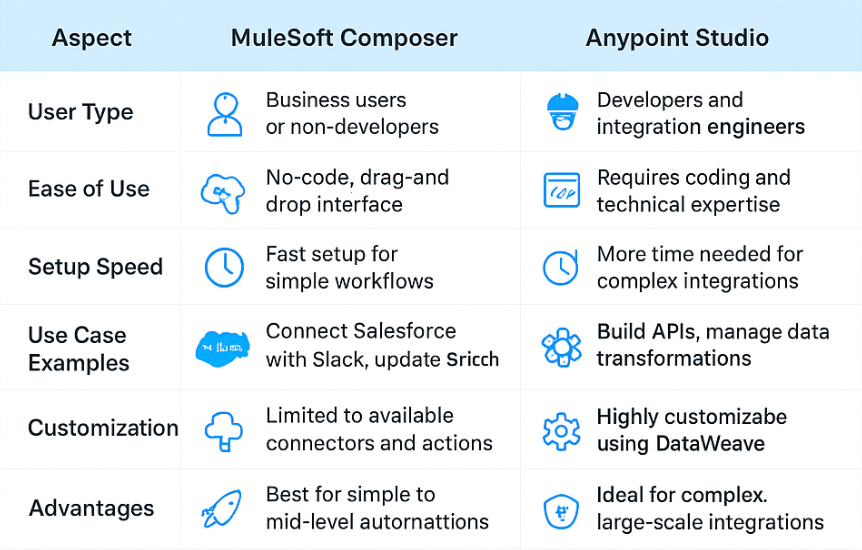
By combining MuleSoft Composer and Anypoint Studio, organizations can empower both business and IT teams to work efficiently. Composer enables fast, no-code automation for day-to-day processes, while Anypoint Studio delivers the depth and flexibility needed for complex, enterprise-grade integrations. Together, they create a connected ecosystem that accelerates digital transformation, bridging the gap between business agility and technical precision.
MuleSoft Composer limitations
MuleSoft Composer streamlines application integration and automates workflows. However, it’s essential to acknowledge its limitations. While Composer excels at handling straightforward, everyday integrations, complex projects demand the expertise of IT or adept developer-focused platforms like Anypoint Studio. By recognizing where Composer delivers the best results and where it does not, teams can effectively set expectations and confidently choose the right tool for their needs.
Here are some of the typical issue areas encountered:
- Focused scope: MuleSoft Composer is ideal for business users who need quick and simple integrations. However, for large, complex enterprise projects, organizations may still need developer-focused tools like MuleSoft Anypoint Studio.
- Connector availability: MuleSoft Composer has a solid set of prebuilt connectors for popular apps, but it doesn’t cover every tool a business might use. If a connector isn’t available, IT support is usually needed to build a custom one.
- Limited customization: Unlike Anypoint Studio, Composer offers less flexibility for building advanced logic or highly customized workflows. It’s designed to keep things simple, which can be limiting for more technical needs.
- Governance dependency: Even though Composer has some built-in oversight features, businesses still rely on IT teams to handle governance, security, and compliance. This is especially true in larger organizations.
- Performance at scale: MuleSoft Composer works best for everyday automations and moderate workloads. A more robust development platform is often better for high-volume or mission-critical integrations.
- Salesforce-centricity: Since MuleSoft Composer is built natively into Salesforce, it works exceptionally well in Salesforce-driven environments. However, businesses that don’t rely heavily on Salesforce may find its scope more limited.
- Limitations in Handling Complex Data Transformations - Although MuleSoft Composer works well for simple to medium data transformations, it is not designed to handle complex transformation logic. When integrations require heavy data restructuring, multi-step processing, conditional routing, or advanced enrichment, these tools can quickly become limited. In these scenarios, the best practice is to use the MuleSoft Anypoint Platform, specifically Mule flows built in Anypoint Studio, because they provide deeper flexibility and control through DataWeave, MuleSoft’s powerful transformation language.
Best practices
While MuleSoft Composer is designed to make integration simple and accessible, following best practices ensures that your automations remain efficient, reliable, and scalable:
- Start with clear objectives: Before building a workflow, define the problem and the outcome you want to achieve. This prevents unnecessary complexity and keeps integrations aligned with business goals.
- Keep workflows simple and modular: Design them in smaller, manageable steps instead of packing too many actions into a single flow. Modular workflows are easier to maintain, troubleshoot, and scale.
- Use clear and concise naming conventions: Label workflows, triggers, and actions clearly and accurately. Meaningful names make it easier for teams to understand, update, and collaborate on workflows going forward.
- Leverage prebuilt connectors first: Composer offers ready-to-use connectors for many popular apps. Always check if a connector is available before considering custom solutions, as this saves time and reduces the risk of errors.
- Test in a sandbox environment: Run initial workflows in a test or sandbox environment before deploying them to production. This helps you catch errors early and avoid disruptions to live systems.
- Monitor and adjust regularly: Even the most well-built workflows may need fine-tuning. Use Composer’s monitoring tools to track performance, identify failures, and make timely adjustments.
- Document your workflows: Record workflow logic, use cases, and updates to ensure consistency and accuracy. Good documentation makes it easier to onboard new team members and provides consistent processes across the organization.
- Collaborate with IT for governance: While Composer empowers business users, involving IT is crucial for maintaining security, compliance, and data governance across all integrations.
- Design for scalability: Plan workflows with growth in mind. Consider how the process will handle larger volumes of data or more complex requirements in the future.
- Revisit and optimize: As business needs evolve, so should your workflows. Schedule regular reviews to refine and improve existing integrations for maximum efficiency.
An AI coding assistant like CurieTech AI helps simplify MuleSoft Composer development by guiding best practices, streamlining data transformations, and supporting code reviews.
The screenshot below highlights the CurieTech AI Single Code Repo Lens. This tool allows users to explore an entire repository and ask both high-level and detailed questions about flows, APIs, and configurations. This makes development and troubleshooting faster and more efficient.
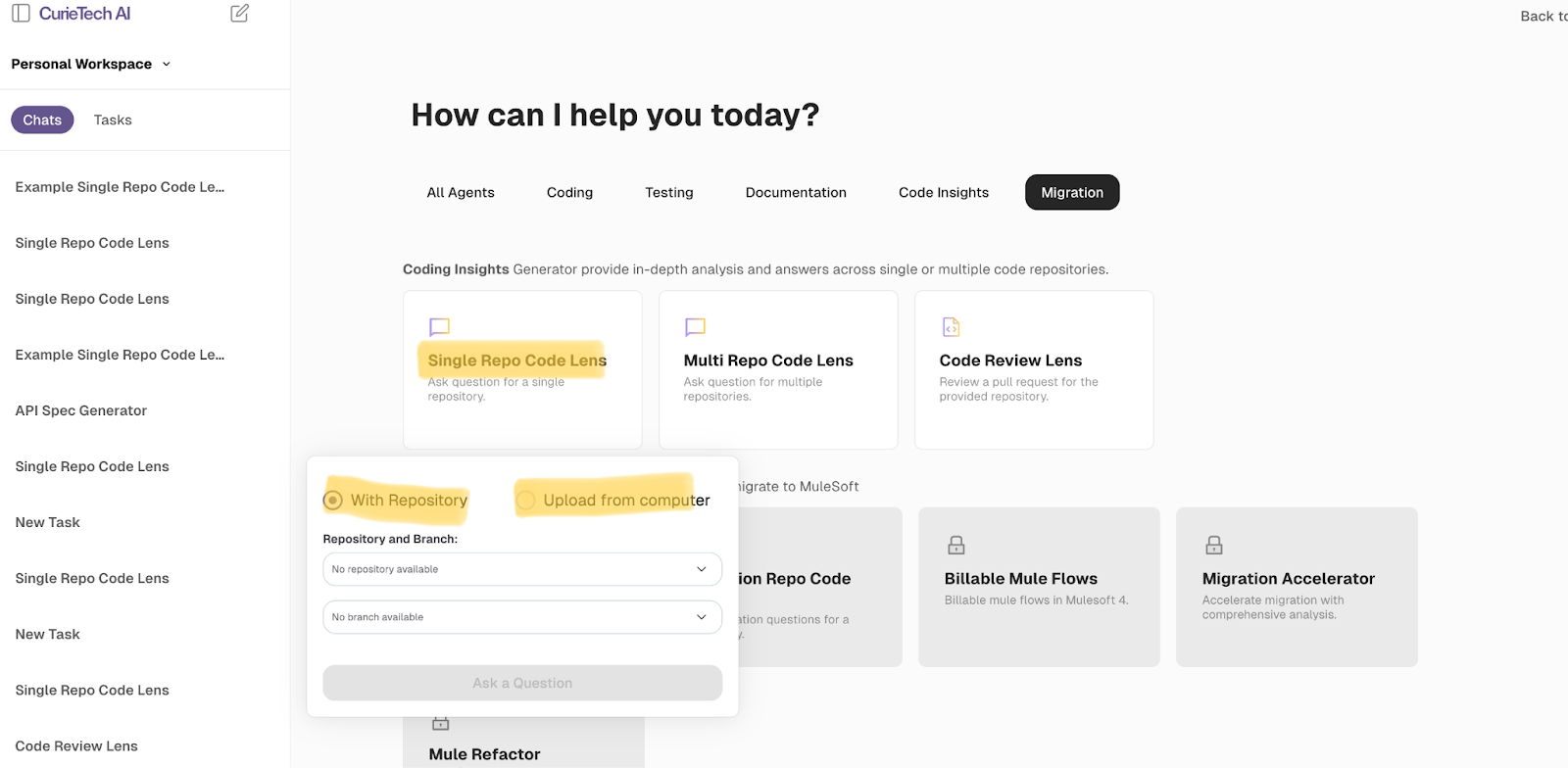
Simply provide your API or MuleSoft project repository details, and you’ll be directed to a page where you can ask questions about the flow.
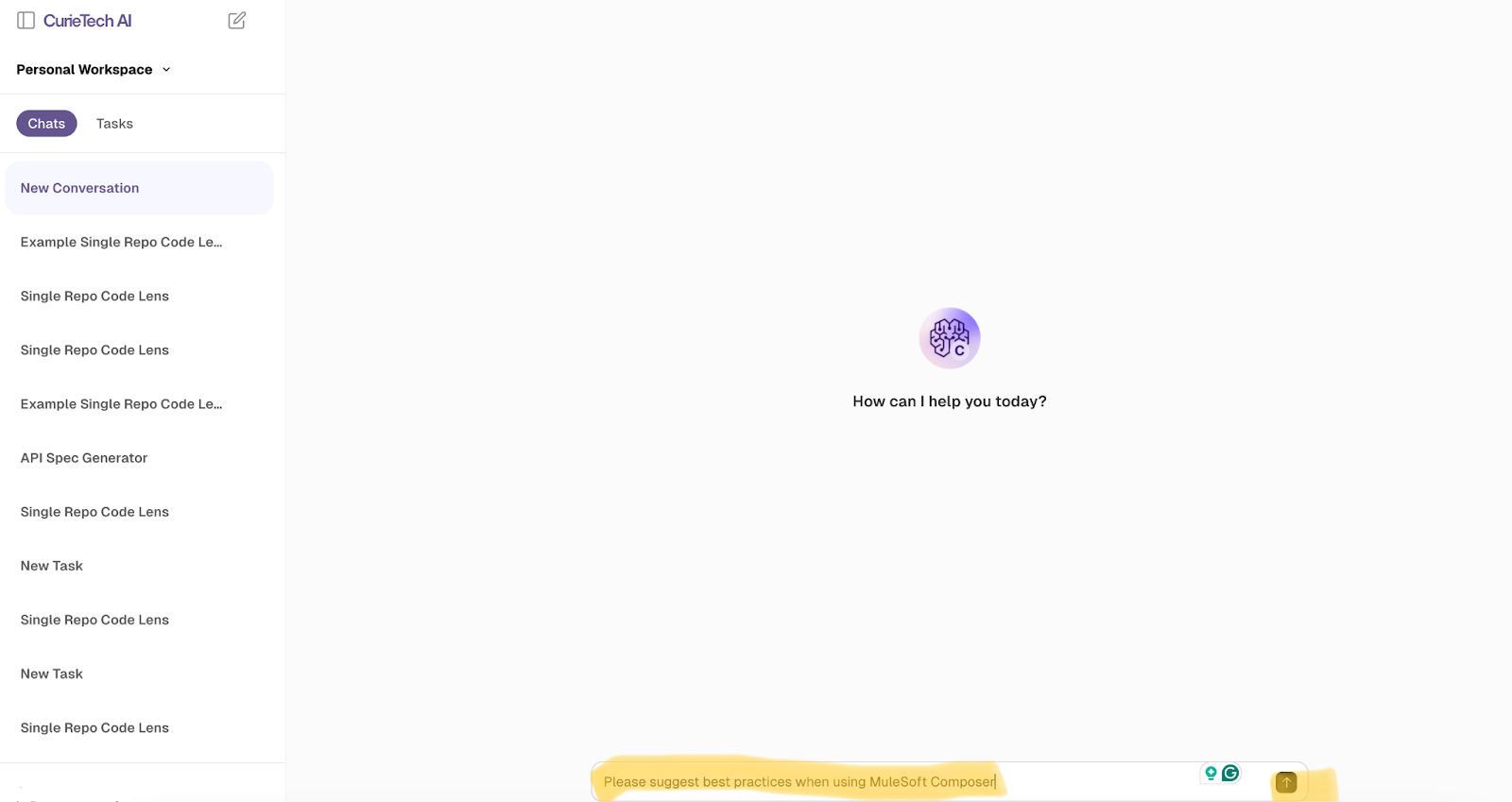
In this case, we aim to identify the best practices for using MuleSoft Composer. Provide that to the tool and click Submit.
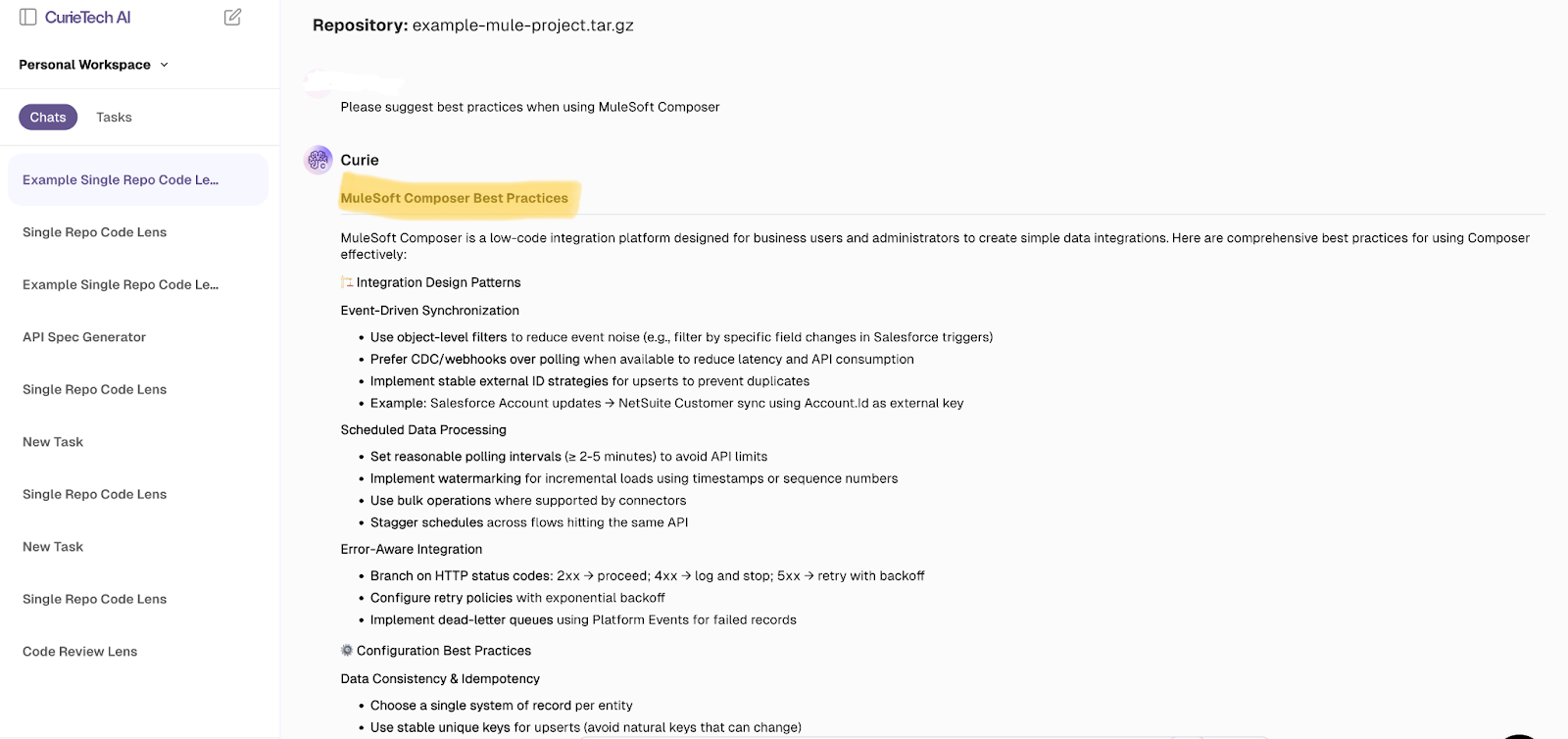
This AI tool supports you at every stage—from integration design patterns to essential success factors—ensuring that your API is scalable, secure, robust, and easy to maintain.
{{banner-large-table="/banners"}}
Conclusion
Organizations today rely on a mix of tools and applications to keep things running—whether it’s managing sales, handling finances, supporting customers, or overseeing daily operations. The real challenge, however, is making sure all these systems work seamlessly together.
That’s where MuleSoft Composer comes in. It empowers business users to connect apps, automate workflows, and sync data—without waiting on long IT projects or writing a single line of code. With Composer, sales teams receive real-time updates, finance processes run more smoothly, and collaboration across departments becomes effortless. Ultimately, teams spend less time on repetitive tasks and more time on what truly matters: growing the business, enhancing customer experiences, and staying ahead in a rapidly evolving market.